Soul Shoppe's work is made possible by donors and partners who care deeply about the young people in their communities! We can't do this work without you. Support our work in classrooms and on playgrounds across the nation by donating here.
If you are trying to choose worksheets for bullying right now, you are probably not looking for another poster that says “be kind.” You need something children can put into practice. Something that helps a student name what happened, helps a class practice what to say, and helps adults respond without turning the moment into a lecture that lands nowhere.
That matters because bullying is common. About 20% of students reported experiencing bullying, according to National Center for Educational Statistics data summarized by Free Printable Behavior Charts. The same summary notes that an estimated 160,000 students miss school daily because of fear of bullying or harassment. Those are not abstract numbers. They show up as stomachaches before school, kids who stop participating, and classrooms that look calm on the surface but feel unsafe underneath.
Good worksheets for bullying can help, but only when they do more than ask students to circle “kind” or “unkind.” The strongest tools build recognition, language, empathy, self-regulation, and bystander action. They also give teachers and parents a way to keep the conversation going after the paper is done.
This guide focuses on practical tools I would give to a teacher, counselor, or caregiver. Some are full systems. Some are fast print-and-go resources. Some work best for cyberbullying, while others are strongest for classroom community or identity-based harm. I’ll call out those trade-offs clearly, and I’ll show you how to use each one well.
If you also need group-based ideas that work beyond the school day, these After School Club Activity Ideas pair well with anti-bullying work because they build belonging before conflict escalates.
1. Soul Shoppe Running Successful Classroom Meetings Digital Workshop Binder
A lot of worksheets for bullying fail because they are isolated. A child fills out one page after a problem happens, then the class goes back to business as usual. Soul Shoppe takes the opposite approach. The binder supports regular classroom meetings with scripts, prompts, rituals, templates, and facilitation guidance, so bullying prevention sits inside community practice instead of outside it.
That matters because students need repetition. They need chances to practice naming feelings, setting boundaries, repairing harm, and supporting peers before a hard moment happens.
Why this works better than a one-off printable
Soul Shoppe’s format fits what seasoned teachers already know. Kids rarely become upstanders because of one lesson. They become upstanders when the room has shared language and predictable routines.
The binder is especially useful when a team wants to build:
Self-awareness: Students notice body signals, feelings, and triggers before reacting.
Social awareness: Students learn to recognize exclusion, rumor-spreading, and power imbalances.
Relationship skills: Students practice listening, “I” statements, and repair language.
Responsible decision-making: Students think through safe bystander choices, not just ideal ones.
For classrooms where bullying shows up as eye-rolling, side comments, lunch exclusion, or online spillover, this meeting-based format is often more effective than a stack of disconnected handouts.
A practical example for grades 3 to 5: use a weekly meeting opener where students finish the sentence “A respectful class sounds like…” Then move into a short scenario page about exclusion on the playground. End with partner practice: “What can I say if I see someone left out?” The paper matters, but the rehearsal matters more.
Teachers who want consistency: The scripts reduce prep and lower the barrier to doing meetings well.
Counselors supporting several classrooms: Shared templates make it easier to coach teachers across grade levels.
Schools building common SEL language: The binder pairs well with workshops and coaching.
Trade-offs are real.
It is not magic on its own: A digital binder cannot model tone, pacing, or facilitation presence for you.
It needs calendar space: Classroom meetings only work when adults protect the routine.
It asks for buy-in: If a teacher treats it like a compliance task, students will feel that immediately.
Practical tip: Do not save the worksheet for “when there’s a bullying problem.” Use it when things are calm. Prevention tools work best before students need them.
PACER’s strength is breadth. You can pull student activity sheets, discussion prompts, campaign-style materials, and schoolwide engagement pieces without having to buy a full program. That makes it useful for counselors planning Bullying Prevention Month, grade-level teams doing a short advisory series, or parents who want clear student-facing language.
Where PACER shines
PACER works well when you want anti-bullying work to become visible across a campus.
Its resources lend themselves to:
Classroom discussion pages: Good for naming behaviors and feelings.
Schoolwide participation activities: Helpful for creating shared messages across classrooms.
Reflection prompts: Useful after a conflict, assembly, or advisory lesson.
A practical elementary example: after a recess issue, give students a PACER reflection sheet and ask them to sort what happened into actions, impact, and next steps. Then have them rehearse one support sentence they could say to a peer who was targeted.
A practical middle school example: use a discussion guide in advisory, then ask students to create a short hallway campaign around what bystanders can do safely.
For adults who want a concise overview of response strategies, Soul Shoppe’s post on how to stop bullying is a useful companion read.
The trade-off
PACER is not a tightly sequenced curriculum. You assemble the experience yourself.
That is fine if you are comfortable curating. It is less ideal if your staff needs a scripted week-by-week scope and sequence.
I also find that some PACER resources work best when you add your own processing questions. A worksheet alone may identify bullying, but students still need help answering, “What should I do next time?”
Use PACER when you want high-quality free options and enough variety to meet different classrooms. Skip it if your team needs one linear, all-in-one implementation system.
3. KidsHealth in the Classroom
KidsHealth in the Classroom is one of the easiest free options to hand a busy teacher. If you want grade-banded bullying and cyberbullying lessons with teacher directions and student handouts that print cleanly, it delivers.
This is the platform I’d recommend to someone saying, “I need something for tomorrow, and I need it to be age-appropriate.”
Best fit by age
KidsHealth does a good job separating elementary and middle grades. That matters because younger students often need concrete examples, while older students can handle nuance around rumors, exclusion, and online behavior.
Use it this way:
K to 2: Focus on recognizing hurtful behavior, naming feelings, and telling a trusted adult.
Grades 3 to 5: Add role-play and bystander language.
Grades 6 to 8: Bring in cyberbullying, social pressure, and group dynamics.
A strong grade 2 example is a simple sorting activity. Read short scenarios aloud and ask students to decide: kind, unkind, or bullying. Then ask, “What can we say to help?” This keeps the worksheet from becoming passive.
A strong grade 6 example is a scenario handout on group chat behavior. Students mark what crossed the line, who was affected, and what a safe intervention could look like.
If your lesson goal is empathy, pair the worksheet with these Soul Shoppe ideas on how to teach empathy.
What it does not do
KidsHealth is not a full school climate system. It gives you strong individual lessons, not a campuswide implementation framework.
Its visual design is also plain. That will not bother adults, but some students engage more readily with more colorful or interactive formats.
Still, for clean teacher guidance and low-prep classroom use, it is hard to beat. It respects a teacher’s time, and that alone makes it more likely to get used.
4. Common Sense Education
If the bullying concern in front of you involves group chats, screenshots, gaming chat, fake accounts, or online pile-ons, go to Common Sense Education first.
Many schools still use worksheets for bullying that focus almost entirely on face-to-face behavior. That leaves a large gap. Verified educational materials note that cyberbullying is one of the core categories students need help identifying, alongside physical, verbal, emotional, property abuse, and threatening behavior, as outlined in the Friendly Schools bullying education materials.
Why this platform stands out
Common Sense Education is strong because it combines student handouts with digital citizenship framing. Students do not just label “cyberbullying.” They examine context, intent, privacy, audience, and what safe reporting looks like.
That is what real online prevention needs.
A practical upper elementary example: students review a fictional text thread and answer three questions on a worksheet.
What happened?
Which message made the situation worse?
What could a bystander do without escalating it?
A practical middle school example: students analyze a rumor shared through screenshots. Then they write two responses, one impulsive and one responsible, and discuss the likely impact of each.
Real trade-offs
Common Sense is best for digital contexts. It is less complete if your main concern is playground exclusion, cafeteria dynamics, or repeated in-person intimidation.
Downloads may also require account setup, which can slow down someone who wants instant access.
Expert move: Send the family tip sheet home before the classroom lesson, not after. Parents often hear about online bullying only when the conflict has already exploded.
This is one of the few resources in the list that helps schools and homes talk about the same behavior in the same language. That alone makes it valuable.
That is the key distinction. Second Step works best when administrators want common language, common routines, and staff alignment across classrooms.
Why schools choose it
The biggest advantage is structure. Teachers get grade-level materials, reproducible student pages, and staff guidance that supports a shared response protocol.
That makes a difference because a worksheet works differently when students hear the same language from recess staff, classroom teachers, and counselors.
I especially like this kind of system when bullying behavior is tied to impulsivity or poor emotion regulation. Students often need direct practice before they can interrupt the urge to mock, exclude, or retaliate. Soul Shoppe’s ideas for impulse control worksheets pair well with that need.
Best implementation style
Second Step is strongest when used schoolwide.
For principals: It gives staff a more consistent response framework.
For counselors: It reduces the need to reinvent mini-lessons for every class.
For teachers: It lowers planning load once the system is in place.
A practical K to 2 example: students use a worksheet to identify respectful attention-getting versus mean behavior, then practice “Stop, walk, talk” style responses in pairs.
A practical grade 4 or 5 example: students read a repeated exclusion scenario, identify the bystander role, and rehearse what they can say to include the targeted student.
The main downside
It is a paid system. For some schools, that is the right investment. For others, especially small programs or families, it will be more than they need.
It also works best with staff training and implementation support. Buying a program without giving teachers time to learn it usually leads to thin results.
Choose this when you want consistency and can support rollout. Skip it if you only need a few flexible worksheets for bullying and do not want a larger program commitment.
6. Kidpower
Kidpower is one of the most practical choices for children who need concrete language and body-based safety skills, not long reflection pages.
Some worksheets ask kids to process feelings before they know what to do with their hands, voice, or body. Kidpower flips that. It emphasizes boundary-setting, assertive communication, and safety habits in a way that works especially well for role-play.
What makes it useful
Kidpower’s one-page tools, posters, and handouts are easy to turn into active practice.
That works because many students do better with:
Clear scripts: “Stop.” “That’s not okay.” “I’m going to get help.”
Body cues: Standing tall, making space, moving toward safety.
Short rehearsal cycles: Say it, practice it, reflect briefly.
A practical grade 1 example: use a simple boundary worksheet, then have students practice a strong voice with a partner. Keep the script short. Young children often need repetition more than explanation.
A practical grade 5 example: use a gossip or electronic aggression handout, then ask students to role-play three responses. One direct, one supportive to the target, and one that gets adult help.
Where to be careful
Kidpower’s free materials can feel scattered across the site. You may need a little time to locate the exact handout you want.
It is also more skills-first than discussion-first. For some classrooms, that is excellent. For others, especially older students dealing with subtle social aggression, you may want to pair it with a deeper reflection tool.
One reason I keep Kidpower in the mix is that not every child benefits from a heavy language-based worksheet. Some need a physically grounded script they can remember in a hard moment. Kidpower provides that better than most.
7. Learning for Justice
Learning for Justice is the right choice when bullying overlaps with identity, bias, belonging, or classroom climate.
Not every bullying situation is just about meanness. Sometimes students target race, religion, disability, gender expression, language, or perceived difference. Generic anti-bullying worksheets often flatten that reality. Learning for Justice does not.
What it adds that others miss
Its surveys, activity sheets, and learning plans help students think about power, identity, and fairness. That makes it especially useful in upper elementary and middle school settings where teasing may be rooted in bias.
A practical grade 5 example: use a classroom survey or reflection sheet after students discuss who gets left out and why. Then ask them to rewrite a class norm so it protects belonging more clearly.
A practical middle school ELA example: pair a student handout with a read-aloud or article about exclusion, then have students identify the difference between conflict, bullying, and bias-based harm.
This resource also works well for interdisciplinary teaching. A language arts teacher can use it without making the lesson feel bolted on.
The trade-off
The site can take some digging. It is rich, but not always quick to find specific resources when you are in a rush.
It is also not a linear curriculum. That is a strength for experienced educators who like to curate. It is less helpful for people who want one tidy packet and no decisions.
Use Learning for Justice when your students need more than “be nice.” Use it when they need to understand how belonging gets protected, or broken, in a community.
8. Twinkl
Twinkl is the classic time-saver choice. If you need visually polished, grade-leveled worksheets for bullying, discussion cards, and quick classroom printables, it can save a lot of prep time.
The value here is speed plus volume. Twinkl offers many options for different ages and formats, including resources that sort types of bullying such as verbal, physical, emotional, and cyber. That broad categorization aligns with commonly used anti-bullying worksheet approaches described in the earlier verified education materials.
Best way to use it
Twinkl is strongest when you already know the lesson objective.
Do not start by browsing everything. Start with one question: Do I need students to identify bullying, reflect on impact, practice bystander responses, or understand cyberbullying?
Then choose one matching resource.
A practical grade 3 example: use a “types of bullying” worksheet with picture-supported examples. Ask students to match each behavior to a category, then share one safe action they can take.
A practical grade 7 example: use discussion cards on online harassment and ask students to rank responses from least helpful to most helpful, then defend their choices.
What to watch
Most of the best materials sit behind a paid membership. That is the main drawback.
Quality can also vary across individual resources because large libraries are not as tightly curated as smaller programs. Some pages are excellent. Some are just okay.
Quick coaching tip: When a worksheet has strong visuals but shallow reflection questions, keep the worksheet and rewrite the discussion prompts yourself. That often turns an average printable into a strong lesson.
Twinkl is a good purchase for teachers who use printables often and want consistency in look and layout. It is not the first tool I’d choose for deep facilitation guidance.
9. PBS LearningMedia
PBS LearningMedia is particularly useful for students who engage more when a worksheet is paired with media.
That combination matters. Some students will not open up through paper alone. A short video, story clip, or discussion prompt can lower defensiveness and give them a safer way into the topic.
Best classroom use
PBS works well in advisory, homeroom, SEL blocks, and language arts crossover lessons.
A practical sequence looks like this:
Watch a short clip involving exclusion, rumor-spreading, or bystander action.
Give students a printable response page.
Ask them to identify what the target might feel, what the bystander noticed, and what action was realistic.
A middle school example works especially well here. The verified data for a grades 6 to 8 lesson on graphing bullying statistics describes using real data in class, including 21% of U.S. students ages 12 to 18 experiencing bullying nationwide. PBS-style media plus a response worksheet can make that kind of data discussion feel grounded instead of abstract.
Why it is not higher on the list
PBS has excellent pieces, but the bullying resources are not always gathered in one clean place. You may need to search.
Some content also leans older, so elementary teachers need to check fit carefully.
Still, if your students need a story, clip, or shared media reference before they can discuss bullying openly, PBS LearningMedia is a smart option. It gives the worksheet a context, and context often improves discussion quality.
10. Scholastic
Scholastic is a good fit for upper elementary and middle school educators who want reading-based anti-bullying lessons with strong teacher support.
Its advantage is familiarity. Many teachers already trust Scholastic’s classroom tone and know how to use reading-plus-response formats well.
When Scholastic works best
Scholastic is especially useful when students benefit from scenario analysis instead of direct personal disclosure.
That can be important. Some students shut down if you ask, “Have you been bullied?” They respond better when the worksheet starts with a story, article, or fictional situation.
A practical grade 5 example: students read an “Is It Bullying?” scenario page, then annotate what makes it repeated, harmful, or power-based. After that, they write a response from the perspective of a bystander.
A practical grade 8 example: students read a short article on cyberbullying, fill in a graphic organizer, and then discuss which adult responses would help versus embarrass the targeted student.
The trade-offs
Some of the best resources require a subscription, magazine access, or Teachables membership.
The grade fit also skews a little older in many anti-bullying materials. Always check whether the reading level matches your group.
I like Scholastic most when a teacher wants the anti-bullying lesson to feel academically integrated instead of separate from the rest of the day. That can increase buy-in, especially with older students who resist anything that feels too scripted or juvenile.
Top 10 Bullying Worksheets Comparison
Resource
Core offering & format
Target audience
Key benefits / USP
Ease of use & implementation
Price
Soul Shoppe: Running Successful Classroom Meetings Digital Workshop Binder
Research-based digital binder with scripts, agendas, prompts, printable templates; adaptable for in-person & virtual
Teachers & whole-school SEL leaders; K–8 adaptable
Plug-and-play materials, builds belonging & psychological safety, aligns with workshops/coaching/app
Ready to use and customizable; pairs well with live coaching for best fidelity
Paid (digital product; pricing on site)
PACER’s National Bullying Prevention Center (NBPC)
Upper elementary to middle school (check grade fit)
High production value, clear teacher notes and extensions
Easy to implement when available; some content behind subscription
Freemium / subscription or purchase required for some materials
From Worksheet to Lifelong Skill
A worksheet is never the intervention by itself. It is a tool inside a larger adult practice.
That is the most important point to keep in view when choosing worksheets for bullying. The page can prompt reflection, teach language, and structure a conversation. It cannot create safety on its own. Adults create safety through routine, follow-through, and the way they respond when a child finally tells the truth about what is happening.
The strongest resources in this list all support one of four jobs.
First, they help students identify what bullying is. That matters because many children confuse bullying with ordinary conflict, or dismiss harmful behavior as joking.
Second, they help students build response skills. Good worksheets do not stop at “How would this make you feel?” They move into “What can you say?” “Who can you tell?” “What is a safe bystander action?” and “What should happen next?”
Third, they give adults a repeatable structure. That is why classroom-meeting tools and sequenced programs tend to outperform random one-off printables. Students need repetition. They need to hear similar language across circles, advisory, recess repair, and home conversations.
Fourth, they support belonging before a crisis. This is often the missing piece. Bullying prevention works best when students already have practice with inclusion, emotional literacy, boundary-setting, and repair. In other words, the best anti-bullying worksheet often starts working before anyone would label the problem “bullying.”
For teachers, the practical takeaway is simple. Pick one resource that matches your actual setting. If your classroom needs daily culture-building, Soul Shoppe or Second Step will serve you better than isolated scenario sheets. If you need free and fast, PACER or KidsHealth are easier entry points. If the issue is happening online, Common Sense should move to the top of the pile. If the conflict touches identity and bias, Learning for Justice is the better lens. If you need role-play-friendly assertiveness tools, Kidpower is hard to beat.
For parents, start smaller than you think. One worksheet at the kitchen table is enough if you use it well. Read the scenario together. Ask your child what they notice. Help them sort feelings from actions. Practice one sentence they could say. Identify one adult they could go to at school. Then revisit the same language later in the week. Children remember what adults repeat calmly.
For school leaders, consistency matters more than novelty. A staff does not need fifty resources. It needs a manageable set of tools, shared language, and a plan for how adults will respond when students report harm. If your school is trying to organize that work, a student progress tracking template can help teams document patterns, supports, and follow-up without relying on memory.
Use these worksheets as practice fields. Let students rehearse what safety sounds like. Let them test the words before they need them in a painful moment. Let adults get more skilled at listening and guiding instead of reacting.
That is how a worksheet becomes more than paper. It becomes part of a culture where students know what respect looks like, what help sounds like, and what to do when someone is being hurt.
If you want worksheets and SEL tools that do more than fill time, explore Soul Shoppe. Their programs, classroom resources, and training support schools and families in building the shared language, empathy, and conflict-resolution skills that help bullying prevention take hold.
The demand for effective social emotional learning (SEL) has never been higher. As educators and parents navigate the complexities of supporting student well-being, choosing the right tools is critical. This guide cuts through the noise, offering a deep dive into 12 of the best social emotional learning resources available today for K-8 schools and families.
Instead of a simple list, we provide a detailed analysis of each option. You'll find practical examples for implementation in the classroom and at home, honest assessments of strengths and weaknesses, and direct links to each resource. For instance, when searching for tools that support older students, you might prioritize platforms offering structured guidance on specific skills, such as these practical social skills activities for teens that focus on conversational strategies.
Our goal is to equip school leaders, teachers, and caregivers with the clear insights needed to select and implement programs that foster genuine connection, build resilience, and create environments where every child can thrive. We will explore everything from comprehensive, whole-school programs like Soul Shoppe and CharacterStrong to targeted assessment and check-in tools like Panorama Education. This article is your roadmap to finding the right fit for your specific grade levels, school context, and student needs, ensuring your investment in SEL has a meaningful and lasting impact.
1. Soul Shoppe
As a veteran in the field with over two decades of experience, Soul Shoppe offers a deeply integrated, whole-school approach to social emotional learning. It stands out by moving beyond one-off lessons to cultivate a sustainable campus-wide culture of safety and belonging. The organization provides research-based, experiential programs that equip K-8 students, staff, and families with a shared language and practical skills for real-world challenges.
What makes Soul Shoppe a premier choice is its focus on creating psychological safety and peer support systems. Instead of just delivering content, its model is built to change school dynamics. Programs are designed to be interactive and memorable, teaching concrete tools for self-regulation, communication, and conflict resolution that students can apply immediately. For example, during their Peacemaker Program, students are trained to mediate playground disputes. When two younger students are arguing over a ball, a trained 5th-grade Peacemaker can guide them through a script to help them share their feelings and find a solution, reducing yard-duty escalations.
Key Takeaway for Administrators: Soul Shoppe acts as a long-term strategic partner, not just a curriculum vendor. The goal is to build a lasting, positive school climate by embedding SEL skills into daily interactions, which can lead to measurable reductions in conflict and improved student well-being.
Key Features & Program Highlights
Experiential Learning: Soul Shoppe uses interactive workshops and assemblies that actively involve students. A practical example is their "I-Message" activity, where students practice using "I feel…" statements to express needs without blaming others, a foundational skill for resolving peer conflicts. For example, instead of saying "You always take the good swing," a student learns to say, "I feel frustrated when I don't get a turn on the swing."
Flexible Delivery: Programs are available through on-site visits, live virtual sessions, and a library of digital resources, including an app and online courses for families. This mixed-model delivery makes it adaptable for various school budgets and logistical needs.
Whole-School Implementation: The approach extends to staff coaching and family engagement events. By providing a common vocabulary, such as tools for "peace corners" or "brave talks," everyone in the community learns to reinforce the same positive behaviors. A parent might use the "brave talk" script at home to help their child address a conflict with a sibling.
Community Credibility: With a 20+ year track record, significant partnerships like the Junior Giants' "Strike Out Bullying" campaign, and founder Vicki Abadesco's TEDx talk, the organization demonstrates proven expertise and public trust.
Implementation & Access
Best for: K-8 schools and districts seeking a comprehensive, campus-wide SEL program. It is particularly effective for schools aiming to build a common language around conflict resolution and emotional regulation.
Cost: Pricing is not publicly listed. Schools and districts must contact Soul Shoppe directly for a customized quote based on program selection and implementation scale.
Pros:
Focuses on practical, lasting skills like self-regulation and conflict resolution.
The whole-school model fosters a consistent and supportive environment.
Established credibility with over two decades of experience and community partnerships.
Cons:
The need to request a quote adds a step to the evaluation process.
Primarily designed for K-8, requiring adaptation for high school settings.
2. CASEL District Resource Center + Program Guide (Collaborative for Academic, Social, and Emotional Learning)
CASEL stands as the authoritative source for districts planning and executing systemic social emotional learning. Rather than providing a single curriculum, its website offers a free, research-backed framework for leaders to audit their current SEL efforts, select evidence-based programs, and plan multi-year implementations. For a school leader, this is the starting point for making informed decisions that align with long-term school improvement goals.
The platform's core strength lies in its Program Guide, a searchable database that helps schools compare vetted, evidence-based SEL programs. This neutral tool saves administrators countless hours of research and reduces the risk of adopting a program that isn't a good fit. For instance, a middle school principal can use the Guide to filter programs specifically designed for grades 6-8, view their evidence rating (like "SELect" or "Promising"), and see how each one addresses CASEL's five core competencies. This allows them to compare three top-rated programs based on their approach to relationship skills before scheduling demos, helping in choosing from a variety of social-emotional learning programs for schools with confidence.
Key Considerations
Cost & Access: The District Resource Center and Program Guide are completely free to access. However, it's a planning tool, not a curriculum. Schools must still purchase the specific programs they select, and CASEL does not list pricing information; you must contact vendors directly.
Best For:
District and school leaders building a strategic, system-wide SEL plan.
SEL committees tasked with evaluating and recommending curricula.
Educators seeking to understand the research behind effective SEL implementation.
Limitations: The sheer volume of information can be a lot for a single teacher or parent to process. It is best used by teams at the school or district level.
Second Step is a widely adopted, research-based K–8 digital SEL curriculum known for its clear, sequential lesson plans. Committee for Children provides a fully built-out program with grade-banded materials, making it a turnkey solution for schools seeking a structured approach to social emotional learning resources. Its digital format includes multimedia, student handouts, and scripted lessons that ensure consistent delivery across classrooms.
The program’s core strength is its scripted, grade-specific lessons that build skills year over year. A third-grade teacher, for example, can use a ready-made digital lesson on empathy that includes a short video of a relatable scenario, like one child feeling left out at recess. The lesson then provides guided questions for discussion ("How do you think Maria felt when no one asked her to play?") and a partner activity where students practice inviting someone new to join a game. For administrators, the leader dashboard offers a schoolwide view of implementation progress, while optional add-ons for bullying prevention and child protection create a more comprehensive safety net for students.
Key Considerations
Cost & Access: Second Step is a subscription-based program. Pricing is tiered and depends on the number of students and grade levels, which may require careful budgeting for smaller schools. Access is through an online portal after purchasing a school or district license.
Best For:
Schools and districts wanting a complete, ready-to-implement K-8 curriculum.
Teachers who prefer structured, scripted lessons with all materials provided.
Administrators looking for data-driven tools to monitor SEL implementation.
Limitations: The highly scripted nature, while ensuring fidelity, can feel restrictive to some educators who prefer to create or adapt their own lessons. Local adaptation may be needed to make scenarios more relevant to a specific student population.
RULER is a whole-school social emotional learning approach from the Yale Center for Emotional Intelligence, grounded in decades of emotion science. The acronym stands for Recognizing, Understanding, Labeling, Expressing, and Regulating emotions. Instead of a standalone curriculum, RULER focuses on shifting the entire school climate by prioritizing adult SEL skills first, then equipping staff with concrete tools to embed emotional intelligence into daily routines and academic instruction.
The system’s power comes from its practical tools that become part of the school's shared language. For example, classrooms create a Charter, a collaboratively developed document outlining how everyone wants to feel at school, and the Mood Meter helps students and staff identify and label their feelings throughout the day. A teacher might use the Mood Meter during morning meeting, asking students to point to where they are on the grid (e.g., "high energy, low pleasantness" in the red quadrant) and discuss why. A student might share they are in the red quadrant because they are anxious about a test, which creates an opportunity for support. This builds a foundation for meaningful emotional intelligence activities for kids. The Meta-Moment tool teaches a six-step process for pausing and making better choices during emotionally charged situations. These are valuable social emotional learning resources for any school community.
Key Considerations
Cost & Access: RULER requires a two-year training and implementation package for a school-based team, with transparent pricing published on their website for both online and in-person models. This includes access to the RULER Online platform. It is a significant investment in professional development and system-wide change, not a one-off curriculum purchase.
Best For:
Schools and districts committed to a deep, long-term culture shift around emotional intelligence.
Leaders who believe adult SEL is a prerequisite for student SEL.
Educators looking for practical, research-backed tools to integrate into existing school structures.
Limitations: The model requires substantial buy-in and active participation from the entire staff, as it's not a simple lesson-based program. The upfront cost and time commitment for training can be a barrier for some schools.
Harmony Academy offers a complete PreK-6 social emotional learning curriculum at no cost, making it a powerful resource for schools looking to implement a high-quality, research-based program without straining their budget. The digital platform provides everything an elementary teacher needs to get started, from lesson plans and activity guides to interactive games. Its design is focused on fostering positive peer relationships, empathy, and effective communication from an early age.
The curriculum's strength is its ready-to-use, practical structure. A second-grade teacher, for example, can use the "Meet Up" and "Buddy Up" activities to build community and practice problem-solving skills daily. In a "Buddy Up" activity, pairs of students might discuss a question like, "What is one way you can show a classmate you care?" before sharing their ideas with the class. Interactive "Harmony Games" provide a fun, digital way for students to apply concepts like diversity and inclusion. Furthermore, the inclusion of at-home resources makes Harmony one of the more family-inclusive social emotional learning resources, helping to reinforce classroom lessons with parents and caregivers.
Key Considerations
Cost & Access: The entire digital curriculum, including all lessons, activities, and training materials, is completely free after a simple registration. Physical material kits may have associated costs, but the core program is accessible without a financial investment.
Best For:
Elementary school teachers and principals looking for a comprehensive, no-cost SEL curriculum.
Schools with limited budgets that need a CASEL-aligned program.
Out-of-school-time programs seeking structured activities that build social skills.
Limitations: The curriculum is designed specifically for PreK-6. Middle schools will need to find a different program for older students. While digital access is excellent, schools that prefer extensive physical materials may need to supplement the program.
6. Responsive Classroom (Center for Responsive Schools)
Responsive Classroom is an evidence-informed teaching approach that weaves social emotional learning into the fabric of daily school life. Rather than providing a separate, weekly SEL lesson, it offers practical strategies for integrating SEL competencies into every interaction and academic task. This approach focuses on creating a positive, engaging classroom climate where students feel safe, valued, and ready to learn, making it a foundational piece for proactive behavior management and academic engagement in K-8 settings.
The platform's strength is its collection of applicable, day-to-day practices like the Morning Meeting, a cornerstone routine that builds community through greeting, sharing, group activities, and a morning message. A teacher can use this 20-minute daily structure to explicitly model and practice listening, empathy, and cooperation. For example, during the "sharing" component, one student shares about their weekend while another student practices active listening by paraphrasing what they heard. Other core strategies include using specific teacher language to reinforce positive behaviors ("I see you're using a quiet voice during independent reading") and interactive modeling to explicitly teach procedures, from how to turn in homework to how to join a group discussion respectfully. These tools make it one of the most practical social emotional learning resources for immediate classroom use.
Key Considerations
Cost & Access: The website offers free articles and introductory information. However, full implementation requires purchasing books, resource kits, and professional development courses. Multi-day workshops (both virtual and in-person) have clear, published fees, and schoolwide training packages are available by quote.
Best For:
K-8 classroom teachers looking for concrete strategies to improve classroom management and culture.
School leaders aiming to build a consistent, schoolwide approach to discipline and community.
New educators seeking a structured framework for establishing a positive learning environment.
Limitations: This is not a scripted, "open-and-go" curriculum for explicit SEL skill instruction. Schools may want to pair it with another program that teaches specific SEL concepts more directly. Effective implementation also depends on staff buy-in and investment in professional training.
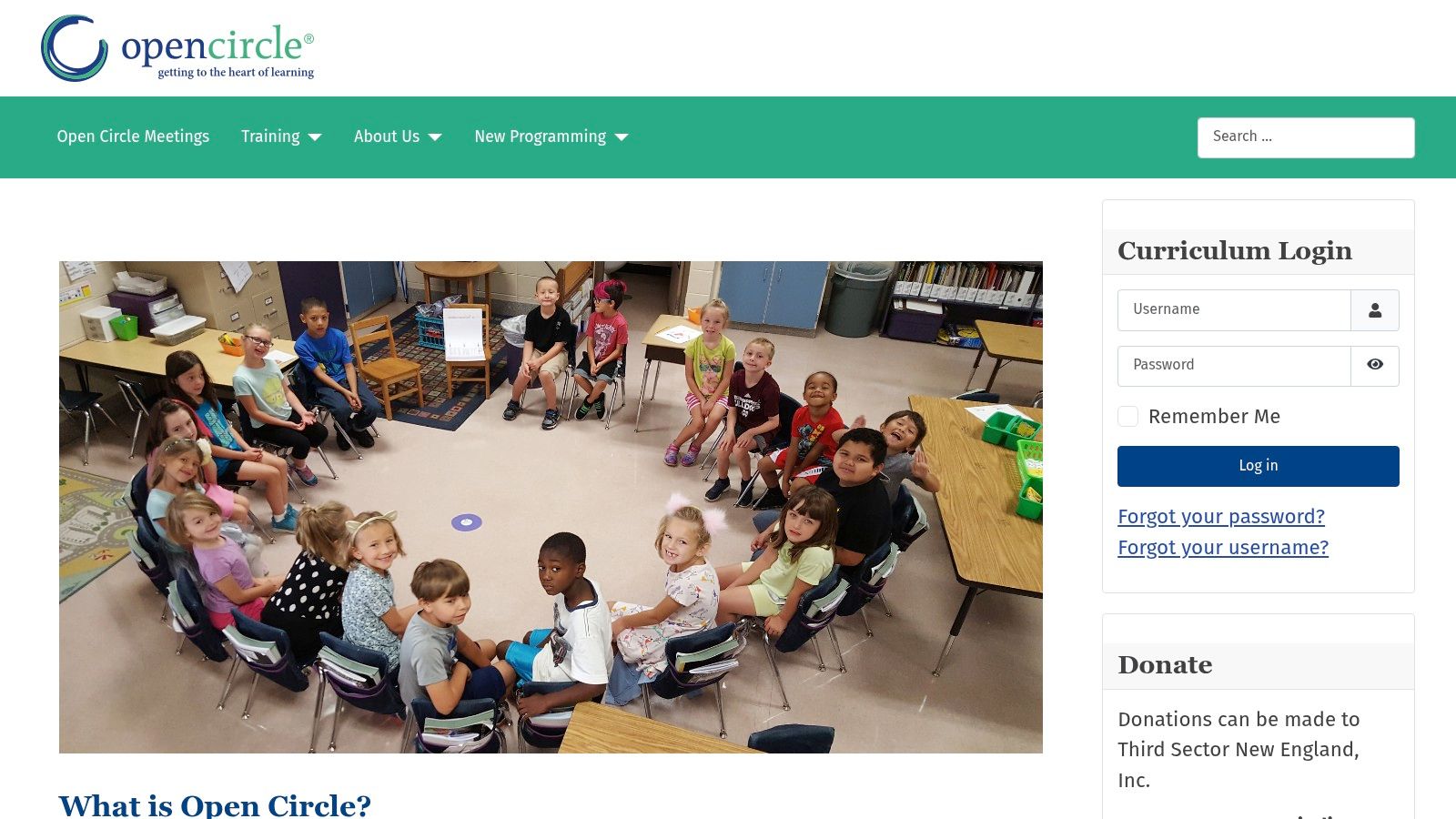
Open Circle is a well-established, evidence-based social emotional learning program specifically designed for elementary schools. Rather than just offering a set of lessons, it provides a comprehensive K–5 curriculum built around structured classroom meetings. This approach focuses on creating routines that embed SEL directly into the school day, making it a foundational part of the classroom culture. For an elementary principal, this program offers a clear path to building a safe, communicative community from the ground up.
The program's core strength is its emphasis on practical routines and teacher training. The classroom meetings provide a consistent format for students to practice self-awareness, relationship skills, and responsible decision-making in a group setting. For example, a second-grade class might use the Open Circle meeting structure to collectively brainstorm solutions to a recurring playground conflict. The teacher would pose the problem, "What can we do when multiple people want to use the same swing at once?" and facilitate as students offer and evaluate ideas like taking turns or setting a timer. This consistent practice makes social problem-solving a familiar and expected part of their day. With its focus on direct instruction and application, the curriculum offers a wealth of kids' social skills activities that are directly tied to classroom life.
Key Considerations
Cost & Access: Program details and pricing are provided after submitting a training inquiry on their website. Open Circle is not a free resource; it is a full curriculum and professional learning package that requires a school or district-level purchase.
Best For:
Elementary school leaders aiming to implement a whole-school SEL model in grades K-5.
K-5 teachers who want a structured, routine-based approach to teaching SEL.
Districts looking for a program with a long history and strong evidence of effectiveness in early grades.
Limitations: The program is specifically designed for the K-5 grade band, meaning middle schools would need to find a different solution. Its effectiveness is closely tied to the professional learning component, so simply buying the materials without the training would not be sufficient.
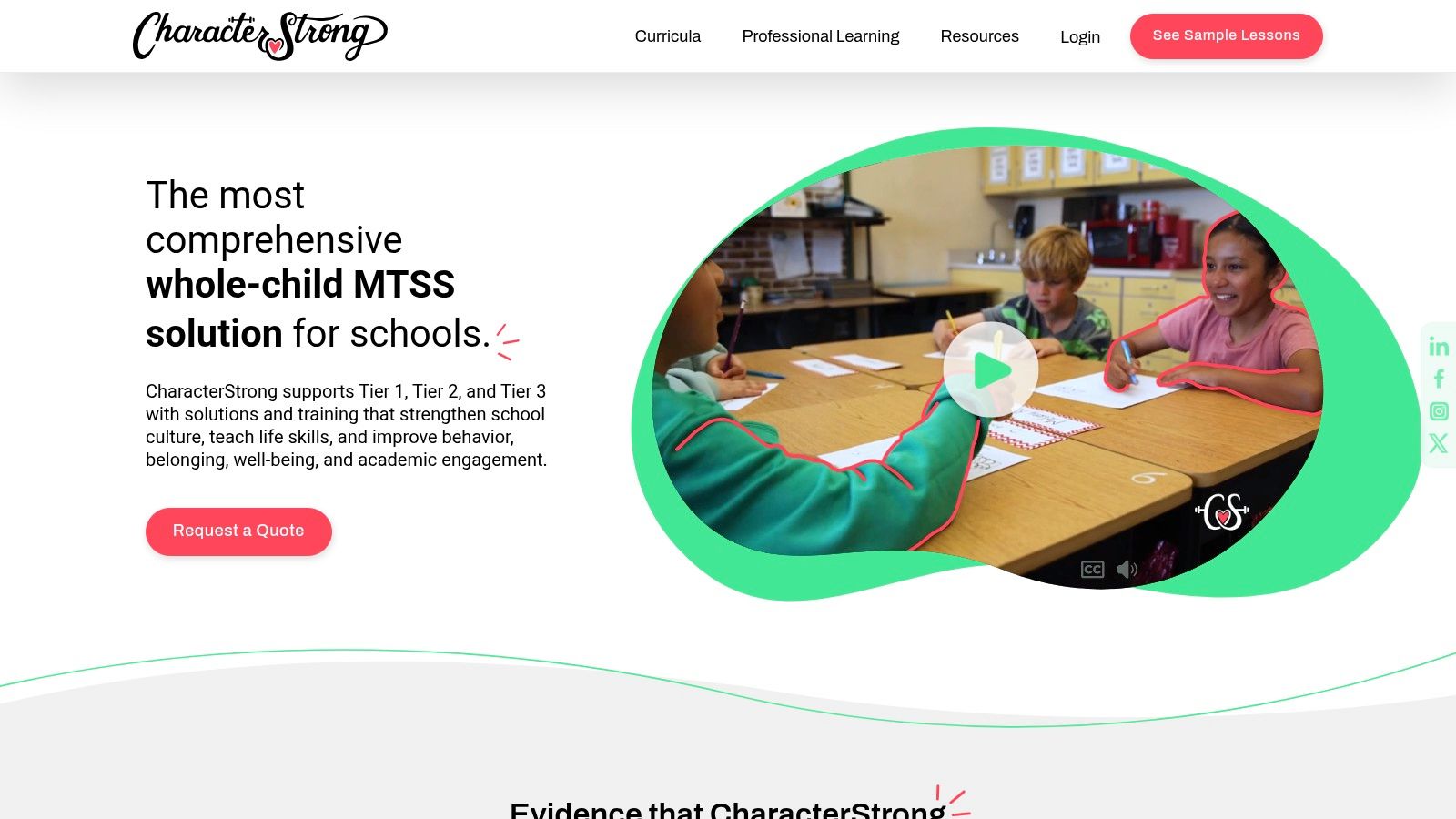
CharacterStrong provides a comprehensive PreK-12 curriculum suite focused on integrating social emotional learning with character development. Rather than being just another set of lesson plans, it offers a vertically aligned framework designed to create a common language and consistent culture across an entire school or district. This whole-child approach bridges elementary, middle, and high school experiences, ensuring students build upon SEL skills year after year.
The platform’s strength is its dual focus on Tier 1 universal instruction and Tier 2 targeted interventions. For example, a 7th-grade advisory teacher can use the core secondary curriculum for weekly lessons on empathy and responsible decision-making. If a counselor identifies a small group of students struggling with conflict, they can use CharacterStrong's specific Tier 2 small-group curriculum to work on those particular skills. A practical activity might involve role-playing a scenario where one friend posts an embarrassing photo of another, and the group practices how to respond assertively and respectfully. This layered support helps schools meet diverse student needs within one system, an essential component for building resilience in children. The inclusion of family newsletters and implementation resources also helps extend learning beyond the classroom.
Key Considerations
Cost & Access: Access is provided through a school or district-level license. Pricing is not publicly listed and requires schools to request a quote. This model simplifies budgeting for administrators by covering an entire site rather than charging per student.
Best For:
Schools and districts seeking a unified, PreK-12 SEL and character curriculum.
Counselors in need of structured Tier 2 small-group intervention materials.
SEL leadership teams aiming to build a consistent, school-wide culture and vocabulary.
Limitations: The curriculum is designed for regular, structured implementation, not as a drop-in resource. Schools that prefer fully scripted, daily SEL lessons may find they need to supplement CharacterStrong’s advisory or weekly model.
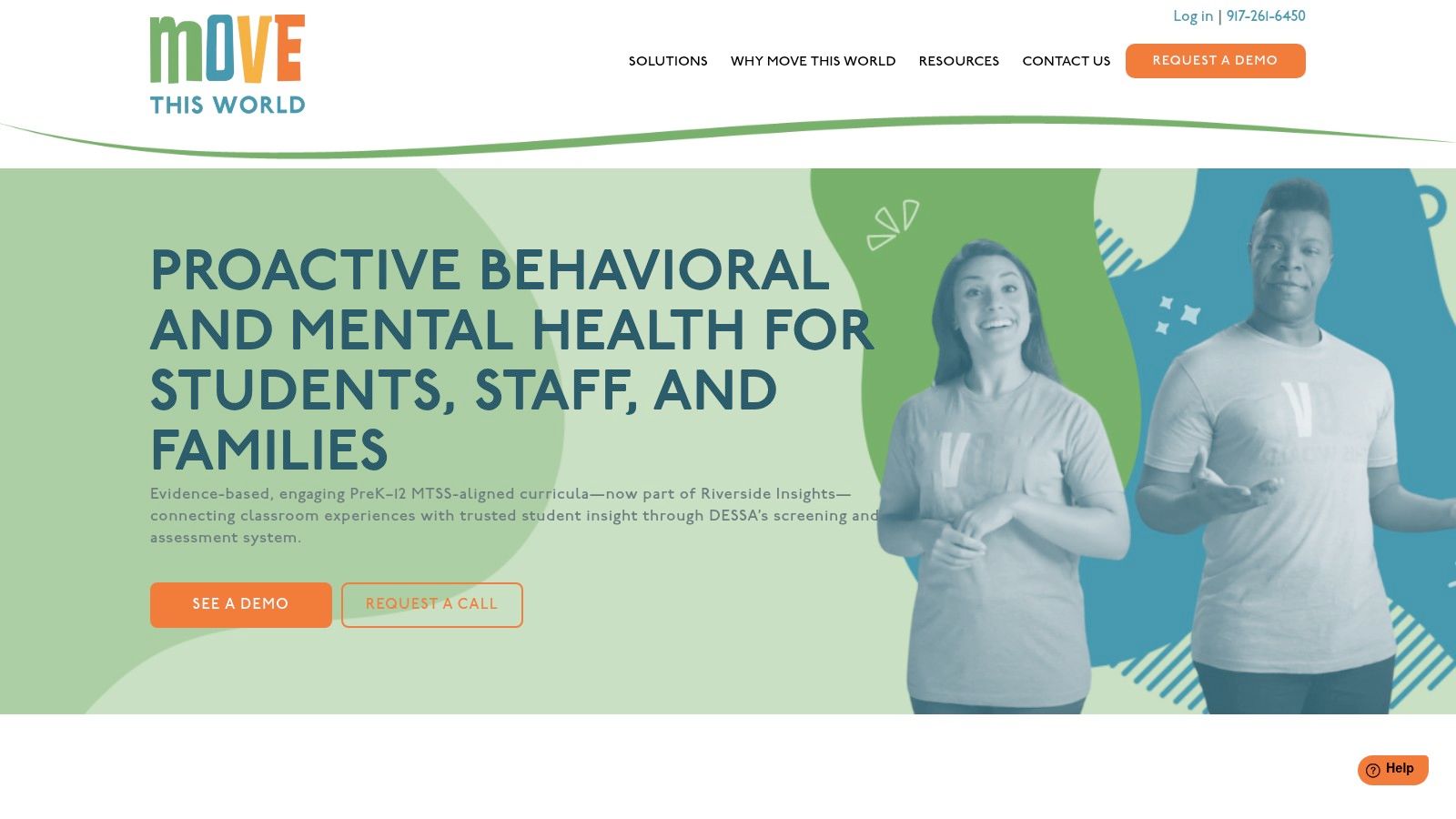
Move This World delivers a dynamic, video-based SEL curriculum for grades PreK-12, built around short, daily practices. Its core philosophy is that emotional wellbeing is built through consistent, manageable routines rather than occasional, lengthy lessons. For teachers juggling packed schedules, the platform offers a "plug-and-play" solution that integrates social emotional learning into the school day with minimal preparation, making it an accessible entry point for school-wide implementation.
The platform’s standout feature is its library of on-demand, high-energy videos designed as daily rituals. A second-grade teacher, for example, could start the day with a 3-minute "Emotion Motion" video where students physically act out feelings like excitement or frustration, helping them build an emotional vocabulary through movement. A practical application for parents could be using a similar "calm down" video from the family resources to help a child manage big feelings at home before bedtime. By providing these consistent micro-practices, Move This World helps schools establish a shared language and routine around emotional health, which is a key component of effective social emotional learning resources.
Key Considerations
Cost & Access: Access requires a school or district-level subscription, and pricing is provided via a custom quote. It is not available for individual teacher or parent purchase. Reliable internet bandwidth and classroom devices are necessary to stream the video content.
Best For:
Schools seeking a low-prep, daily SEL routine that is easy to implement consistently.
Teachers who prefer guided video content over creating lessons from scratch.
Districts aiming to build a common emotional language across all grade levels.
Limitations: The reliance on video may not suit all teaching styles or student needs. Schools looking for deep, project-based SEL work might find the micro-practice format less extensive than other curricula.
Aperture Education offers a strengths-based approach to SEL data, moving beyond simply identifying deficits to actively measuring and growing student competencies. Its platform is built around the well-regarded Devereux Student Strengths Assessment (DESSA), providing schools with a robust system for universal screening, progress monitoring, and targeted intervention planning. This is an essential tool for districts aiming to implement a data-driven Multi-Tiered System of Supports (MTSS) for social emotional well-being.
The platform’s standout feature is the direct link between assessment data and actionable strategies. After a teacher completes a DESSA rating for a student, the system generates a report highlighting areas of strength and need. More importantly, it provides a "strategy playbook" with specific, evidence-based activities to address those needs. For example, if a student’s assessment shows a need in self-management, the platform might suggest a "stop-and-think" breathing exercise or a goal-setting worksheet. The teacher can then implement that strategy for two weeks and use the platform's progress monitoring tool to see if it's making a difference, directly connecting data to practical classroom support. This integration makes it a valuable collection of social emotional learning resources.
Key Considerations
Cost & Access: Access to the DESSA System is subscription-based, with pricing dependent on district size and package selection. Schools must contact Aperture Education directly for a quote. While the platform is a paid service, the company often provides free webinars and resources.
Best For:
School counselors and psychologists implementing data-driven SEL interventions within an MTSS framework.
District leaders seeking a valid, reliable tool for universal screening and program evaluation.
Teachers who need practical, data-informed strategies to support individual student needs in the classroom.
Limitations: Aperture Education provides the assessment and strategy framework, not a core Tier 1 SEL curriculum for daily instruction. Schools will need to pair it with a separate instructional program to build foundational skills for all students.
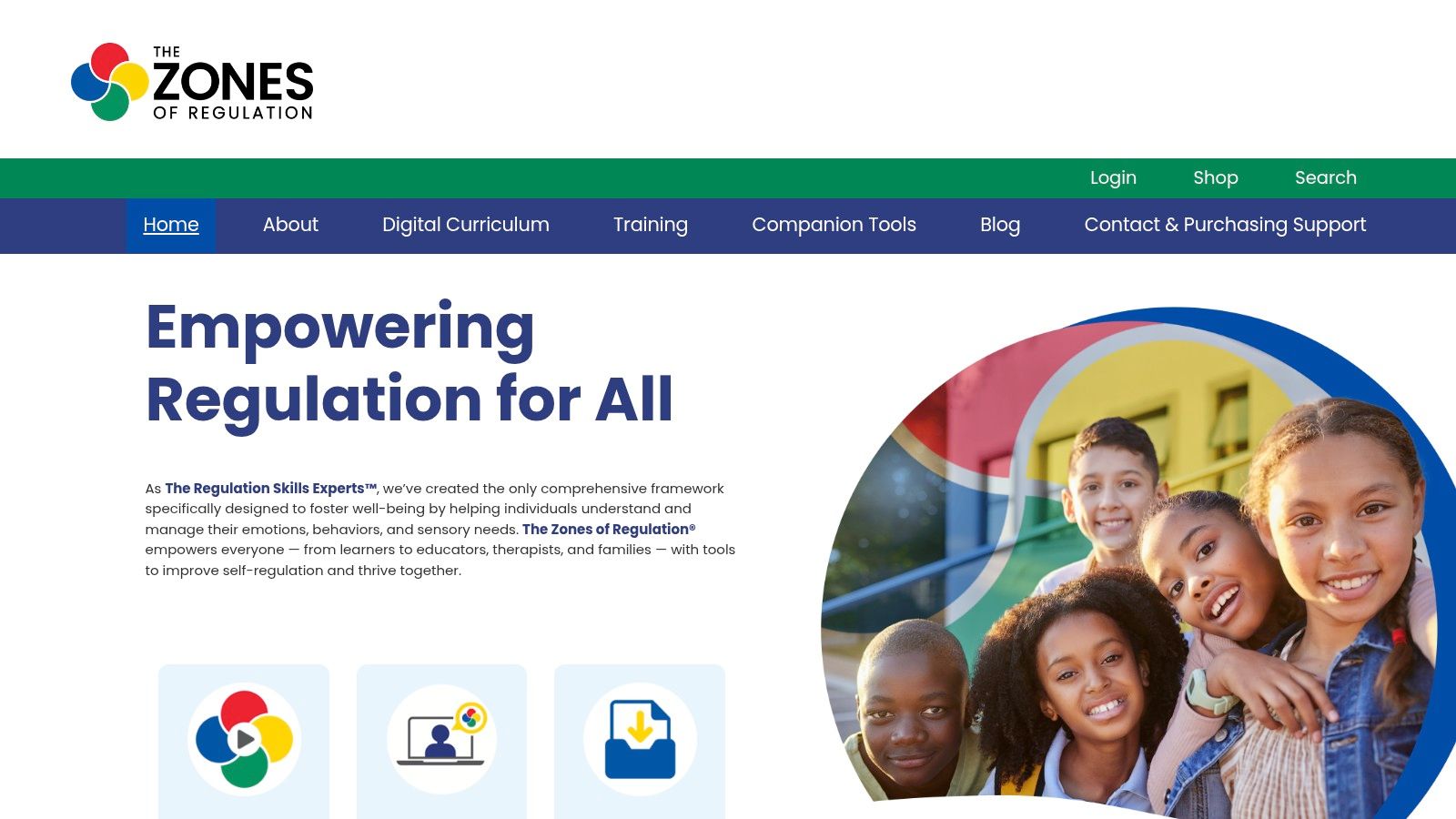
The Zones of Regulation is a widely adopted self-regulation framework that provides a systematic, cognitive-behavioral approach to teaching emotional control. Its core strength is a simple, visual system using four color-coded zones to help students identify their feelings and level of alertness. It offers a structured curriculum and professional learning that gives schools a common, non-judgmental language to discuss emotions and the tools needed to manage them, making it one of the most practical social emotional learning resources for immediate classroom use.
The platform provides a digital curriculum subscription with extensive implementation guides and fidelity checklists to ensure proper school-wide rollout. For example, a teacher can introduce the Blue Zone (sad, sick, tired) and have students identify what that feels like in their bodies. Then, the class co-creates a list of tools to use when in the Blue Zone, like getting a drink of water, taking a brief rest in the calm-down corner, or asking to talk to an adult. At home, a parent can create a similar "Zones" poster and help their child identify they are in the "Yellow Zone" (frustrated, anxious) before a challenging homework assignment, and then practice a calming strategy together. This concrete connection between an internal state (the Zone) and an actionable strategy is what makes the framework so effective for students across general and special education populations.
Key Considerations
Cost & Access: The website offers many free resources and samples to get started. The full curriculum, books, and posters require purchase. A digital subscription is available with per-user licenses, which can become costly for larger staff teams without institutional pricing. Professional learning is also offered in on-demand bundles and live training formats for an additional fee.
Best For:
Special and general education teachers needing a concrete visual system for self-regulation.
School counselors using a common language in small groups or individual sessions.
Schools aiming to build a tiered system of support (MTSS) for behavior and emotional management.
Limitations: The framework is most effective when integrated with broader SEL instruction on empathy, relationship skills, and responsible decision-making. It is a tool for self-regulation, not a complete SEL program on its own.
12. Panorama Education (Surveys, Check-Ins, and Playbook)
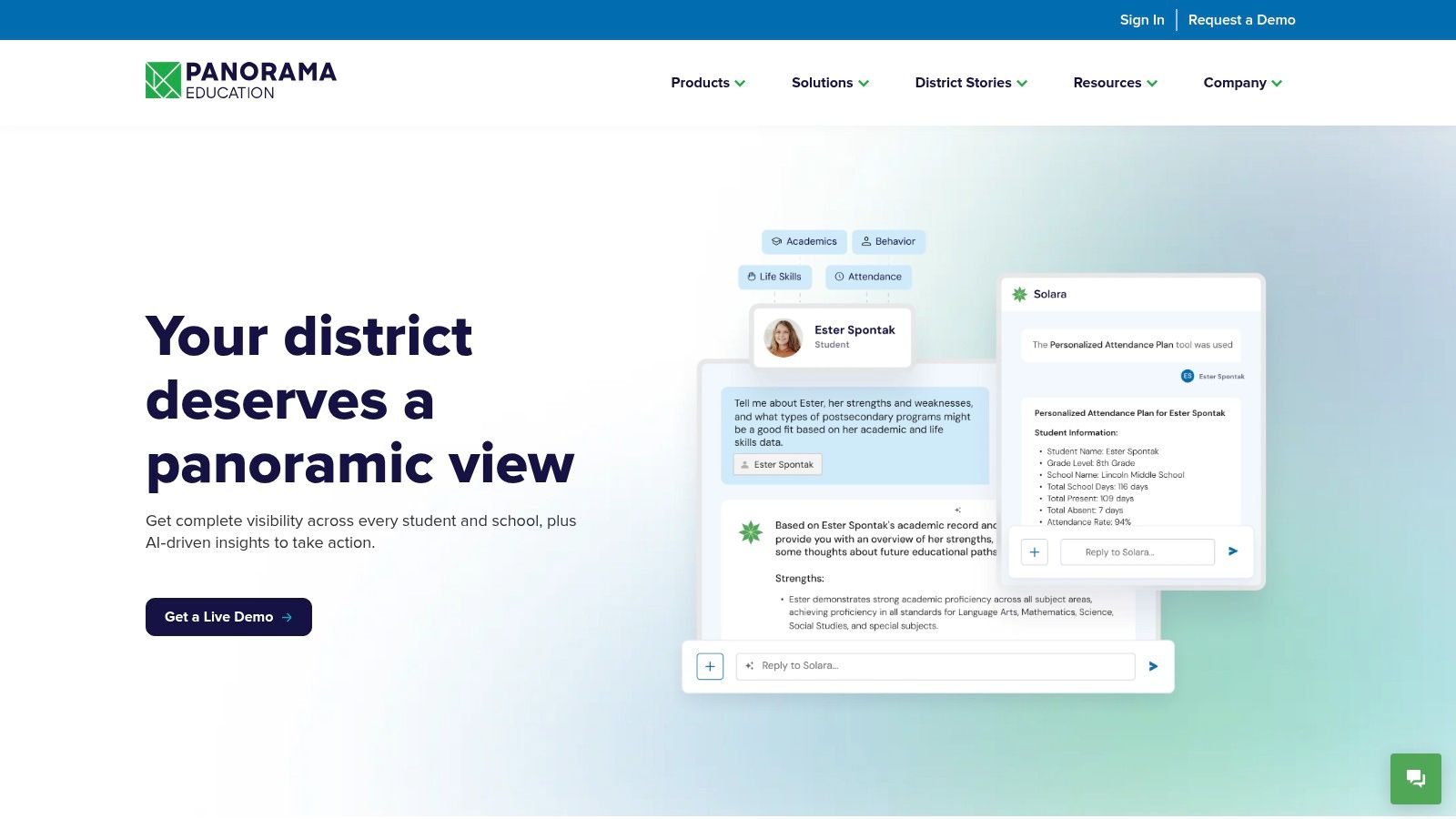
Panorama Education is a data platform designed for K-12 districts to measure, understand, and act on social emotional learning and school climate information. Instead of providing a direct SEL curriculum, it offers a suite of tools that help leaders gather perception data from students, families, and staff. For a district administrator, this is the engine for a data-driven approach, allowing them to pinpoint needs, monitor progress, and provide targeted support at a systemic level.
The platform’s standout feature is its combination of robust, research-backed Surveys with actionable tools. For example, after a district-wide survey reveals that 7th-grade students are struggling with self-management, a teacher can use Quick Check-Ins to get real-time feedback from specific students on that topic. A student might respond to a prompt like, "How well were you able to manage your time this week?" The integrated Playbook then suggests evidence-based strategies, like a "Two-Minute Check-In" activity or a "Weekly Goal Setting" worksheet, that a teacher can immediately use to support those students. This makes it a powerful resource among social emotional learning resources for connecting large-scale data to individual student support.
Key Considerations
Cost & Access: Access is priced at the district level and requires a custom quote based on student enrollment and selected modules. While the platform itself is a paid service, Panorama makes its validated survey instruments available open-source for any educator to use.
Best For:
District leaders implementing a large-scale SEL and school climate measurement strategy.
Principals and school counselors looking to connect student data to MTSS/intervention tiers.
Teachers seeking quick, data-informed ways to support individual student well-being.
Limitations: This is a measurement and response tool, not a standalone SEL curriculum. It tells you what to address but does not provide the core instructional lessons to teach SEL skills comprehensively.
Evidence‑informed approach; national trainings and resources
Training fees published; full staff onboarding requires time/cost
Open Circle (Wellesley Centers for Women)
K–5 curriculum focused on classroom meetings, routines, relationship skills
Grade-banded lessons + teacher professional learning
Elementary schools building safe, caring classroom communities
Longstanding use; external evidence reviews support effectiveness
Program/pricing via training inquiry; details by request
CharacterStrong
PreK–12 SEL + character development suite with tiered interventions
Digital curricula, Tier 2 small-group materials, family newsletters
PreK–12 schools seeking continuity across grades
CASEL-aligned maps; regular content updates
License model (often per site); pricing by quote
Move This World
Short video-based daily rituals for emotional vocabulary & regulation
On‑demand videos, micro‑practices, coaching for rollout
Schools wanting low‑prep, consistent daily SEL routines
Practical implementation focus; classroom‑friendly format
Quote-based pricing; depends on district scale and bandwidth needs
Aperture Education (DESSA System)
SEL assessment + playbook: universal screening, progress monitoring
DESSA assessments, staff dashboards, strategy playbook, PD
Districts using MTSS/data-driven SEL to target supports
Widely recognized, strengths‑based assessment suite
Package pricing varies by district; quotes required
The Zones of Regulation
Visual self‑regulation framework using color "zones" and strategies
Digital curriculum subscription, fidelity supports, trainings
General and special education; MTSS tiers from whole-class to small groups
Widely used; extensive free samples and training options
Per-user licenses for digital content; costs scale with staff size
Panorama Education
Survey & analytics platform for student/family/staff well‑being
Validated surveys, Quick Check‑Ins, Playbook strategies, multilingual support
Districts measuring climate, SEL, family engagement at scale
Research-backed instruments; robust reporting and disaggregation
Enrollment/module-based pricing; quotes required
Putting It All Together: Building a Thriving School Community
Navigating the extensive landscape of social emotional learning resources can feel like an overwhelming task. This guide has presented a curated collection, from comprehensive programs like Second Step and CharacterStrong to specialized tools like The Zones of Regulation and assessment systems from Aperture Education. The goal was not simply to list options but to provide a clear framework for selecting and implementing the right resources for your unique school community.
The central takeaway is that there is no single "best" SEL resource. The most successful schools often create a mosaic of tools, blending a foundational curriculum with school-wide cultural initiatives and targeted support systems. An effective SEL strategy is not an add-on; it is woven into the very fabric of the school day.
From Selection to Successful Implementation
Choosing the right tool is just the beginning. The real work lies in thoughtful implementation, which requires a clear understanding of your starting point. Before committing to a program, consider what your specific data tells you.
For schools noticing increased conflicts on the playground: A program like Soul Shoppe, which focuses on peer mediation and conflict resolution skills through assemblies and workshops, could be a powerful, high-impact intervention.
For educators wanting to integrate SEL into daily academics: Methodologies like Responsive Classroom offer practical strategies for morning meetings and academic choice that build community without requiring a separate block of instruction time.
For administrators seeking a data-driven approach: Using Panorama Education's surveys to gather baseline student voice on school climate can pinpoint specific areas of need, such as a sense of belonging or emotion regulation, guiding your selection of a targeted program like RULER or Harmony.
Successful implementation also depends on buy-in and support. It is essential to provide teachers with high-quality professional development, ongoing coaching, and the time to collaborate. When educators feel confident and equipped, they are better able to model SEL skills for their students, creating a ripple effect throughout the school.
The Critical Home-School Connection
A truly supportive ecosystem for children extends beyond the classroom walls. For students to truly thrive in a school community, a supportive home environment is crucial. When SEL principles are reinforced at home, the skills students learn in school become more deeply ingrained.
Families can play a significant role by actively setting family goals that improve communication and connection, fostering social-emotional skills from a young age. This partnership is vital. Consider hosting parent workshops or sharing resources that help caregivers understand the language and concepts being taught at school. When a child uses a term like "being in the blue zone," a parent who understands the framework can provide more effective support.
Ultimately, the journey of building a thriving, emotionally intelligent school community is a continuous one. It requires patience, collaboration, and a commitment to seeing every student as a whole person. The social emotional learning resources detailed in this article are powerful tools, but their true potential is only unlocked when wielded by dedicated educators and engaged families who believe in the profound importance of teaching skills for life, not just for the classroom. By taking a strategic and heartfelt approach, you can create a place where every child feels seen, heard, and equipped to navigate their world with kindness, confidence, and resilience.
Ready to move from resource selection to cultural transformation? Soul Shoppe provides the assemblies, parent workshops, and on-site support to unite your entire community around a shared language of empathy and respect. See how we can help build a climate of kindness and psychological safety at your school by visiting Soul Shoppe.
The ability to make thoughtful, responsible decisions is one of the most critical life skills we can teach our students. From simple choices like who to play with at recess to complex ethical dilemmas, decision-making muscles need regular exercise to grow strong. But how do we make this practice engaging, memorable, and effective for young learners? Traditional lectures and worksheets often fall short in creating a space for authentic practice.
This article moves beyond those methods, offering a curated roundup of seven outstanding games for decision making designed specifically for K-8 learners. We have gathered a mix of digital simulations, cooperative board games, and interactive stories that empower students to weigh consequences, consider different perspectives, and build the confidence to choose wisely. For a deeper dive into integrating game elements into learning, explore the concept of applications like this example of successful gamification in education. The key is turning abstract concepts into tangible experiences.
For educators, parents, and program leaders looking for practical tools, this list provides everything you need to get started immediately. Each entry includes:
Step-by-step instructions and objectives
Age suitability and material lists
Targeted Social-Emotional Learning (SEL) skills
Debriefing questions to turn gameplay into lasting lessons
This guide is your direct path to finding and implementing powerful activities that help children practice making good choices in a low-stakes environment. Let’s explore how play can pave the way for creating powerful, independent decision-makers.
1. Quandary (Learning Games Network)
Quandary places students in the role of a colonist leader on the planet Braxos, where they must navigate complex ethical dilemmas with no clear right or wrong answers. This free, web-based game is a standout among games for decision making because it moves beyond simple “good vs. bad” choices. Instead, students are presented with conflicting needs and values from different colonists, forcing them to gather facts, listen to multiple perspectives, and justify their final decision.
The game’s strength lies in its design, which is grounded in educational research. Students show measurable gains in skills like differentiating fact from opinion and considering different viewpoints. The platform supports these learning goals with a suite of classroom materials, including lesson plans and discussion guides, making it simple for educators to integrate into their curriculum.
Key Features & Implementation
Objective: Develop ethical reasoning, perspective-taking, and problem-solving skills by analyzing complex situations and their consequences.
Time & Materials: 30-45 minutes per episode. Requires a computer or tablet with internet access.
Age/Grade Suitability: Grades 4–8 (Ages 9–14).
SEL Competencies: Responsible Decision-Making, Social Awareness.
Practical Classroom Example
A teacher can use a Quandary scenario to introduce a unit on community or resource management. In the “Water Wars” episode, colonists argue over limited water supplies. The teacher can set up small groups and instruct them to play through the episode, taking notes on the opinions of each colonist. Afterward, each group must present their final decision to the “Colony Council” (the rest of the class) and justify their choice. The teacher can then ask the class: “Which solution seems most fair? Who is helped by this decision, and who is harmed?” This transforms the game into a lesson on civic responsibility and compromise.
Differentiations & Tips
For Struggling Readers: Use the game’s text-to-speech feature or have students work in mixed-ability pairs where one student reads aloud.
For Advanced Learners: Challenge them with the “Build Your Own Quandary” tool. Students can create their own ethical dilemmas based on classroom conflicts, school-wide issues, or current events.
Tip for Engagement: Frame the activity as a “Colony Council” meeting. Assign students roles (like Fact-Checker, Empathy Officer) to encourage active participation during the discussion phase.
Why It’s a Top Pick: Quandary is completely free, nonviolent, and backed by research from institutions like MIT. Its focus on nuanced ethical challenges without a single “correct” path makes it an exceptional tool for building mature decision-making capacity.
iCivics offers a free, standards-aligned library of civics games that are exceptional at building practical decision-making skills. Students step into roles like a judge, a president, or a community advocate, where they must use evidence to make choices with real consequences. These games excel because they frame decisions not as abstract ethical problems but as concrete actions within a system, teaching students to weigh trade-offs, consider different stakeholder needs, and justify their positions.
The platform’s major advantage is its direct classroom applicability. With over 20 games, each playable in 15–30 minutes, teachers can easily integrate them as warm-ups, lesson centerpieces, or assessments. Teacher accounts allow for assigning specific games and tracking student progress, while the nonpartisan content makes it a trusted resource in a wide range of school settings. This makes iCivics one of the best sources of games for decision making in social studies.
Key Features & Implementation
Objective: Develop evidence-based decision-making by analyzing information, understanding systems, and evaluating the impact of choices on different groups.
Time & Materials: 15–30 minutes per game. Requires a computer or tablet with internet access.
Age/Grade Suitability: Grades 5–8 (Ages 10–14), with some titles adaptable for grades 3–4.
SEL Competencies: Responsible Decision-Making, Social Awareness.
Practical Classroom Example
A parent wanting to discuss current events with their child could use the game Cast Your Vote. They can play together, choosing a political issue they’ve seen on the news. As they listen to the fictional candidates’ positions, the parent can ask, “Which candidate’s ideas sound more like our family’s values? Why?” After voting in the game, they can debrief: “The candidate you voted for won. What changes might we see in our community based on their platform?” This connects the abstract process of voting to tangible, real-world outcomes in a simple, engaging way.
Differentiations & Tips
For Struggling Students: Use the game’s built-in scaffolds and glossary. Start with simpler games like Cast Your Vote, which focuses on evaluating candidate platforms on a single issue.
For Advanced Learners: Challenge them with Branches of Power, where they must make laws by getting the legislative and executive branches to agree. This requires strategic thinking and compromise.
Tip for Engagement: Create a “Civic Challenge” leaderboard. Track which student groups can successfully pass a law in Branches of Power or win a case in Argument Wars, fostering a healthy sense of competition.
Why It’s a Top Pick: iCivics is a classroom-proven, completely free resource founded by Justice Sandra Day O’Connor. Its focus on systems-level thinking helps students understand that individual decisions are part of a larger interconnected structure, a critical concept for responsible citizenship.
3. Common Sense Education: Digital Passport & Digital Compass
Common Sense Education offers two powerful, game-based suites that address decision-making in the digital world: Digital Passport for younger students and Digital Compass for middle schoolers. These free, choose-your-path games are exceptional tools because they root abstract digital citizenship concepts in concrete, relatable scenarios. Students don’t just learn about cyberbullying or data privacy; they experience the consequences of their choices in a safe, simulated environment.
The platform stands out by creating age-appropriate narratives that resonate with students’ real-life online experiences. Instead of a single “right” answer, the games feature multiple pathways and endings based on student decisions, encouraging critical thinking and replay. Each module comes with scorecards and extensive educator resources, making it simple to connect gameplay to meaningful classroom discussions and SEL standards.
Key Features & Implementation
Objective: Practice safe, responsible, and ethical decision-making in digital contexts like social media, online communication, and media consumption.
Time & Materials: 15-30 minutes per module. Requires a computer or tablet with internet access.
Age/Grade Suitability: Digital Passport (Grades 3–5), Digital Compass (Grades 6–8).
SEL Competencies: Responsible Decision-Making, Relationship Skills, Self-Awareness.
Practical Classroom Example
To address online drama, a 7th-grade teacher could use the Digital Compass story “Friend-in-Law.” The main character must decide how to react when a friend posts an embarrassing photo of someone else. The teacher can have students play individually and then come together for a “think-pair-share” activity. Students first reflect on the choices they made and the outcomes. Then, in pairs, they discuss which decisions were most difficult. Finally, the teacher can ask the whole class: “What are some ways you could support a friend in this situation without making the drama worse?” This provides a direct, actionable strategy for navigating real-life online conflicts.
Differentiations & Tips
For Language Learners: Both platforms are available in Spanish. Use the provided vocabulary lists in the educator guides to pre-teach key terms.
For Advanced Learners: Challenge students to storyboard an alternate ending for a module. Have them write a script that shows a different set of decisions and consequences, reinforcing cause-and-effect reasoning.
Tip for Engagement: After completing a module, have students create “Digital Dilemma” posters for the classroom. Each poster can illustrate a key decision point from the game and offer three possible choices, serving as a constant visual reminder of good digital citizenship.
Why It’s a Top Pick: Common Sense Education provides these high-quality, standards-aligned games entirely for free. Their specific focus on digital life makes them an indispensable resource for preparing students to make sound judgments in the online spaces they inhabit every day. Note: These products are scheduled to be retired on June 30, 2026.
Interland, part of Google’s free Be Internet Awesome program, transforms digital citizenship into a vibrant, playable adventure. Students navigate four distinct game worlds, each designed to teach a core tenet of online safety. This platform is a powerful addition to games for decision making because it focuses on the split-second choices students face online, from identifying phishing scams to managing their digital footprint.
The game’s appeal is its simplicity and direct feedback. In “Reality River,” students must correctly answer questions to cross a river, learning to spot fake information. In “Kind Kingdom,” they spread kindness and block “bullies.” This immediate cause-and-effect gameplay makes abstract concepts like privacy and digital kindness tangible. The entire experience is supported by a full curriculum, educator toolkits, and family pledges, making it a well-rounded resource for any school.
Key Features & Implementation
Objective: Practice making safe and responsible decisions related to online privacy, cyberbullying, phishing, and password security.
Time & Materials: 15-25 minutes per mini-game. Requires a computer or tablet with internet access.
Age/Grade Suitability: Grades 3–6 (Ages 8–12).
SEL Competencies: Responsible Decision-Making, Relationship Skills.
Practical Classroom Example
A teacher in a computer lab can use Interland to teach about online scams. The teacher would direct all students to play “Reality River,” where they must decide if website links and emails are real or fake. After 10 minutes of gameplay, the teacher can pause the activity and ask students to share one “phish” they fell for. For example, a student might say, “I clicked the link for free game tokens.” The teacher can then ask the class, “What was the clue that this was a trick?” This group sharing session helps students learn from each other’s mistakes and collectively build a list of red flags to watch for online, which is a great use of guiding kids to build empathy in their digital interactions.
Differentiations & Tips
For Younger Students: Focus on one game at a time, such as “Kind Kingdom,” and have a whole-class discussion about being an “upstander” versus a “bystander” online.
For Advanced Learners: Challenge them to create their own “Internet Awesome” pledge for the classroom based on what they learned from all four games. They can present their pledges to the class.
Tip for Engagement: Host an “Interland Olympics.” Divide the class into teams and have them compete to successfully complete all four games. This adds a layer of friendly competition and encourages peer support.
Why It’s a Top Pick: Interland provides a non-threatening, game-based environment for tackling critical digital safety topics. It’s free, accessible, and backed by a comprehensive, ready-to-use curriculum that makes it easy for teachers to implement.
Mission US immerses students in major eras of American history, casting them as young people whose lives are shaped by historical events. These free, narrative-rich interactive games are exceptional tools for decision making, as they require players to navigate complex situations where choices have significant and lasting consequences. Unlike games focused on points or winning, Mission US prioritizes empathy and understanding historical context from a personal perspective.
The platform’s power comes from its deep research and extensive support materials. Each “mission” is accompanied by educator guides, primary source documents, and classroom activities that help teachers connect the game’s narrative to broader historical themes. By stepping into the shoes of characters like a young Jewish immigrant in 1907 New York or a Cheyenne boy during the Plains Wars, students gain a powerful, personal understanding of how decisions are influenced by one’s identity, community, and the world around them.
Key Features & Implementation
Objective: Develop historical empathy, critical thinking, and an understanding of cause and effect by making choices as a historical figure.
Time & Materials: 45-60 minutes per mission part (missions have multiple parts). Requires a computer with internet access.
Age/Grade Suitability: Grades 5–8 (Ages 10–14).
SEL Competencies: Social Awareness, Responsible Decision-Making, Self-Awareness.
Practical Classroom Example
During a unit on the American Revolution, a teacher can assign the mission “For Crown or Colony?” Students play as Nat, an apprentice in 1770 Boston, and must make decisions about whether to support the Loyalists or the Patriots. To bring the learning home, the teacher can pause the game after a key decision point—like whether to participate in a protest against a British merchant—and have students write a “journal entry” from Nat’s perspective. They must explain the choice they made and describe their fears and hopes about the consequences. This connects the historical event to the personal, emotional experience of making a high-stakes decision.
Differentiations & Tips
For Struggling Readers: The game includes full audio narration and a glossary of key terms. Teachers can have students play in pairs to support reading comprehension.
For Advanced Learners: Challenge them to analyze the primary source documents connected to the mission. Ask them to write a journal entry from their character’s perspective, justifying a key decision they made in the game using evidence from the documents.
Tip for Engagement: Before playing, use the “Setting the Stage” activities from the educator guide. These activities provide essential background knowledge and can include map work or vocabulary previews that make the game experience more meaningful.
Why It’s a Top Pick: Mission US is free, ad-free, and meticulously researched. Its ability to blend compelling storytelling with critical historical inquiry makes it a standout among games for decision making, offering a profound way for students to connect with the past on a personal level.
Outfoxed! is a cooperative whodunit board game where young players work together as chicken detectives to catch a wily fox who has stolen a pot pie. This game is a fantastic entry point into games for decision making, especially for early elementary students. Instead of competing, players share a common goal: gather clues and unmask the guilty fox before it escapes. The entire team wins or loses together, fostering a sense of shared responsibility.
The game’s core mechanic involves rolling dice to move around the board, searching for clues or revealing suspects. A special evidence scanner tool helps players check if a suspect is wearing the item seen in a clue (e.g., a top hat or a monocle). This process encourages logical elimination and requires players to make joint decisions about where to move next and which suspects to rule out. The visible consequences of their choices, with the fox moving closer to its escape route, create a gentle but engaging sense of urgency.
Key Features & Implementation
Objective: Develop deductive reasoning, teamwork, and collaborative problem-solving skills by gathering evidence and eliminating suspects.
Time & Materials: 15–20 minutes per game. Requires the Outfoxed! board game set.
SEL Competencies: Relationship Skills, Responsible Decision-Making.
Practical Classroom Example
A parent can use Outfoxed! for a family game night to teach collaboration. When it’s their child’s turn, instead of letting them decide alone, the parent can ask, “Okay team, we need to decide whether to look for a clue or reveal a suspect. What do you think is our best move right now and why?” If another player disagrees, the parent can guide the conversation: “That’s a different idea. Let’s talk about the pros and cons of both moves.” This models how to have a respectful discussion, weigh options as a group, and make a choice together—a skill directly applicable to sharing toys or deciding on a group activity with friends.
Differentiations & Tips
For Younger Players: Play with the suspect cards face-up to reduce the memory load and focus purely on the logic of elimination.
For Confident Players: Challenge them to explain their reasoning for each move. Ask, “Why do you think moving to that space is the best choice for our team?”
Tip for Engagement: Create a “Detective’s Log” on a small whiteboard. Each time the group eliminates a suspect, write their name down. This provides a visual record of their progress and reinforces their successful teamwork.
Why It’s a Top Pick:Outfoxed! masterfully teaches young children the fundamentals of group decision-making in a low-conflict, highly engaging format. Its cooperative nature makes it a perfect tool for building a positive classroom community where collaboration is celebrated.
Pandemic is a cooperative board game that transforms players into a team of specialists racing against time to stop global disease outbreaks. Unlike competitive games, Pandemic requires players to work together, making it one of the most effective games for decision making in a collaborative context. Players must make strategic choices about where to go, what actions to take, and how to use their unique character abilities to manage crises and find cures before the world is overwhelmed.
The game’s core strength is its escalating tension, which forces players to communicate clearly and prioritize actions under pressure. The need to balance short-term containment with long-term research goals creates constant, meaningful trade-offs. Its high replayability and abundance of online “how-to-play” resources make it accessible for classroom clubs or family game nights, providing a tangible and exciting platform for practicing group problem-solving.
Key Features & Implementation
Objective: Develop collaborative problem-solving, strategic planning, and communication skills by making group decisions under time constraints.
Time & Materials: 45-60 minutes per game. Requires one copy of the board game per group of 2–4 players.
Age/Grade Suitability: Grades 5–8+ (Ages 10+).
SEL Competencies: Relationship Skills, Responsible Decision-Making.
Practical Classroom Example
A teacher can use Pandemic as a capstone activity for a unit on global systems or problem-solving. Divide the class into teams of four, assigning one copy of the game to each. The task is not just to win, but to document their decision-making process. The teacher can provide a simple worksheet where, on each turn, the group must write down: 1) The main problem they face, 2) The two options they considered, and 3) The reason for their final choice. For instance: “Problem: Outbreak in London. Option A: Medic flies to treat it. Option B: Scientist stays in Atlanta to trade a card. Choice: Medic flies because preventing a chain reaction is our top priority.” This makes the strategic thinking visible and serves as a basis for a post-game debrief on prioritization and teamwork.
Differentiations & Tips
For New Players: Play with fewer “Epidemic” cards in the deck to lower the initial difficulty. Keep player’s cards face-up so the group can openly discuss all possible moves.
For Advanced Learners: Encourage them to try different combinations of roles to see how it changes their strategy. Challenge them to win the game on a higher difficulty level by adding more Epidemic cards.
Tip for Engagement: Before starting, have each group create a “team name” (e.g., “The Cure Crusaders”). After the game, facilitate a debrief where teams discuss what went well, what they would do differently, and which player’s decision was a turning point.
Why It’s a Top Pick: Pandemic brilliantly simulates a high-stakes crisis where no single player can succeed alone. It provides immediate, concrete feedback on group decisions, making it an excellent tool for teaching the value of communication and coordinated strategy.
Low — simple cooperative board game with short sessions
Purchase per set, small-group play, ~20-minute setup and playtime
Deductive reasoning, teamwork, collaborative decision-making for young learners
Early elementary centers, after-school programs, family play
Cooperative, low-conflict, easy-to-learn for early elementary
Pandemic (Z-Man Games)
Moderate — rules and role strategy need orientation; time-intensive
Purchase per set, 45-minute sessions, 2–4 players per set (parallel sets for classes)
Strategic planning, role-based trade-offs, communication under time pressure
Upper elementary/middle school clubs, problem-solving lessons, longer class periods
Highly replayable, role differentiation, strong collaborative decision practice
Bringing It All Together: Turning Gameplay into Real-World Skills
Throughout this article, we’ve explored a powerful collection of games designed to build critical thinking and responsible decision-making skills in K–8 students. From the historical empathy of Mission US to the collaborative strategy required in Pandemic, each tool offers a unique avenue for learning. These are not just time-fillers; they are dynamic practice fields for life’s complex choices.
The true value of these games for decision making is unlocked when we, as educators and caregivers, guide students to connect in-game actions to their own lives. A choice made in Quandary about a new law on Planet Braxos can spark a conversation about fairness in the classroom. A misstep in Interland can lead to a meaningful discussion about online privacy and sharing information with friends.
Selecting the Right Game for Your Students
Choosing the perfect game depends entirely on your specific goals and your students’ needs. Your selection process should be as intentional as the lessons you plan to teach.
Consider these factors when deciding which game to introduce:
Learning Objective: Are you focusing on digital citizenship, ethical reasoning, or collaborative problem-solving? For digital citizenship, Digital Compass or Interland are excellent starting points. For complex ethical dilemmas, Quandary provides a rich, story-based environment.
Age and Developmental Stage: A game that challenges an eighth grader might overwhelm a third grader. Refer to the age recommendations for each game, but also use your own judgment. For younger students, a cooperative board game like Outfoxed! introduces basic deduction and teamwork in a tangible, low-stakes way.
Group Dynamics: Do you need an activity for individual practice, small group collaboration, or a whole-class experience? Digital games like iCivics can be great for individual or paired work, while board games like Pandemic are explicitly designed for small, cooperative groups.
Key Takeaway: The best game is not necessarily the most complex one. It’s the one that aligns with your specific SEL goals and meets your students where they are, providing a “just right” challenge that encourages growth without causing frustration.
From Play to Practice: The Power of Debriefing
Simply playing the game is only half the battle. The most crucial component for cementing learning is the post-game reflection. This is where you bridge the gap between the game world and the real world, helping students articulate what they learned and how they can apply it.
Without a structured debrief, the activity remains just a game. With a debrief, it becomes a powerful lesson in self-awareness, social awareness, and responsible decision-making. For example, after a session of Outfoxed!, a teacher could ask, “What clues did we miss? How can we communicate better next time to make sure we share all the information we have?” This directly ties to real-world collaboration on a group project.
Similarly, after playing a game from the iCivics library, a parent could ask their child, “The game showed how a new law affects different people. Can you think of a rule at home or at school that affects you and your friends differently?” This prompts them to see systems and consequences in their own environment. The debrief questions provided for each game in this listicle are your blueprint for these essential conversations. By consistently facilitating these discussions, you transform these games for decision making from isolated events into a foundational part of your students’ social-emotional development.
At Soul Shoppe, we help schools build on this foundation by creating safe, supportive environments where students can practice empathy and communication every day. Our programs provide the tools and training to turn your school community into a place where every child feels seen, heard, and empowered to make positive choices. Learn how Soul Shoppe can help your students carry the skills they learn in these games into the classroom, the playground, and beyond.